






No Result
View All Result
Exclusive Updates
AI Trainers FAQ
  • Home
  • Start Here
  • FAQ
  • Platforms
    • All
    • Mercor FAQs
    • micro1 FAQs
    • Other Platform FAQs
    • Platform Comparisons
    • Platform Directory
    • Platform Reviews
    Illustration: two hands passing a blank card across a desk, for the micro1 referral program

    micro1 referral program: how talent referrals work

    A chessboard mid-game with one knight in focus, for practising fairly for the DataAnnotation Starter Assessment

    DataAnnotation Starter Assessment: how to practise fairly

    Three seedlings at different stages on a windowsill, for the DataAnnotation application wait time guide

    DataAnnotation application wait time: what to expect

    An empty checkout conveyor with one basket at the end, for what an Outlier empty queue means

    Outlier empty queue: what it means and what to check

    A teapot pouring into one of two teacups on a tray, for how Mercor referral program earnings sharing works

    Mercor referral program: how it works and what to check

    A bicycle leaning against a garden fence at dawn beside an empty path, for being accepted on Mercor with no job offer yet

    Accepted on Mercor with no job offer: what to check

    A quiet desk with a small cactus, a mug and a pencil, ready for a Mercor AI interview

    Mercor AI interview: how to prepare your examples

    Illustration: a resume in a leather portfolio with envelopes and a fountain pen beside a laptop, for the Mercor application process

    Mercor application process: how to present your experience

    Trending Tags

    • Mercor
    • Outlier
    • micro1
    • DataAnnotation
    • Mindrift
    • Alignerr
  • Applications
    • All
    • Application Roadmap
    • Profiles & Resumes
    Title card for the AI trainer application tracker listing its five columns

    AI trainer application tracker: log roles, tests and follow-ups

    Title card for the AI trainer application checklist with five ticked checks

    AI trainer application checklist: 15 checks before you apply

    Three spice jars on a shelf beside a wooden spoon, for how an AI trainer can choose a domain

    AI trainer: choose a domain for your AI interview

    A tailor's tape, chalk and scissors on a cutting table, for an AI trainer resume template built to fit

    AI trainer resume template: a simple format for beginners

    Illustration: a resume sheet in a leather folder with a fountain pen, glasses and ribboned papers, for a domain expert AI resume

    Domain expert resume: show your real work clearly

    Illustration: a staircase of blue books rising to an open laptop, framed by corner brackets, for a step-by-step guide to becoming an AI trainer

    How to become an AI trainer using your existing skills

    Trending Tags

    • Resume Writing
    • Project Matching
    • Beginners
    • Career Changers
    • Remote Work
    • Freelance
  • Interviews
    • All
    • Assessment Practice
    • Interview Preparation
    An empty stool under a spotlight on a stage, for writing a domain expert interview introduction

    Domain expert interview introduction: what to say

    An empty armchair beside a table with a glass and blank notebook, for AI trainer interview questions practice

    AI trainer interview questions with practice answers

    Illustration: an interview preparation desk with a studio microphone, a laptop with a webcam light, an open notebook and a glass of water

    AI trainer assessment and interview preparation guide

    Trending Tags

    • Interview Preparation
    • Mercor Interview
    • Zara Interview
    • Assessments
    • Interview Introduction
    • Practice Exercises
  • Skills
    • All
    • Core Skills
    • Evaluation & Feedback Writing
    Reading glasses on a stack of plain paper under a lamp, for AI evaluation rationale writing

    AI evaluation rationale writing: a five-step method

    Three pears lined up on a board for comparison, for how to rank AI responses with a rubric

    How to rank AI responses with a rubric

    Illustration: a magnifying glass, a pencil, checklist cards and blue tabs on a navy desk, for core AI trainer rating and rubric skills

    AI trainer skills: prompts, rubrics, ratings, feedback

    Trending Tags

    • Rubric Writing
    • Rationale Writing
    • Prompt Writing
    • Response Ranking
    • Tool-Use Evaluation
    • Worked Examples
  • Exclusive
  • Home
  • Start Here
  • FAQ
  • Platforms
    • All
    • Mercor FAQs
    • micro1 FAQs
    • Other Platform FAQs
    • Platform Comparisons
    • Platform Directory
    • Platform Reviews
    Illustration: two hands passing a blank card across a desk, for the micro1 referral program

    micro1 referral program: how talent referrals work

    A chessboard mid-game with one knight in focus, for practising fairly for the DataAnnotation Starter Assessment

    DataAnnotation Starter Assessment: how to practise fairly

    Three seedlings at different stages on a windowsill, for the DataAnnotation application wait time guide

    DataAnnotation application wait time: what to expect

    An empty checkout conveyor with one basket at the end, for what an Outlier empty queue means

    Outlier empty queue: what it means and what to check

    A teapot pouring into one of two teacups on a tray, for how Mercor referral program earnings sharing works

    Mercor referral program: how it works and what to check

    A bicycle leaning against a garden fence at dawn beside an empty path, for being accepted on Mercor with no job offer yet

    Accepted on Mercor with no job offer: what to check

    A quiet desk with a small cactus, a mug and a pencil, ready for a Mercor AI interview

    Mercor AI interview: how to prepare your examples

    Illustration: a resume in a leather portfolio with envelopes and a fountain pen beside a laptop, for the Mercor application process

    Mercor application process: how to present your experience

    Trending Tags

    • Mercor
    • Outlier
    • micro1
    • DataAnnotation
    • Mindrift
    • Alignerr
  • Applications
    • All
    • Application Roadmap
    • Profiles & Resumes
    Title card for the AI trainer application tracker listing its five columns

    AI trainer application tracker: log roles, tests and follow-ups

    Title card for the AI trainer application checklist with five ticked checks

    AI trainer application checklist: 15 checks before you apply

    Three spice jars on a shelf beside a wooden spoon, for how an AI trainer can choose a domain

    AI trainer: choose a domain for your AI interview

    A tailor's tape, chalk and scissors on a cutting table, for an AI trainer resume template built to fit

    AI trainer resume template: a simple format for beginners

    Illustration: a resume sheet in a leather folder with a fountain pen, glasses and ribboned papers, for a domain expert AI resume

    Domain expert resume: show your real work clearly

    Illustration: a staircase of blue books rising to an open laptop, framed by corner brackets, for a step-by-step guide to becoming an AI trainer

    How to become an AI trainer using your existing skills

    Trending Tags

    • Resume Writing
    • Project Matching
    • Beginners
    • Career Changers
    • Remote Work
    • Freelance
  • Interviews
    • All
    • Assessment Practice
    • Interview Preparation
    An empty stool under a spotlight on a stage, for writing a domain expert interview introduction

    Domain expert interview introduction: what to say

    An empty armchair beside a table with a glass and blank notebook, for AI trainer interview questions practice

    AI trainer interview questions with practice answers

    Illustration: an interview preparation desk with a studio microphone, a laptop with a webcam light, an open notebook and a glass of water

    AI trainer assessment and interview preparation guide

    Trending Tags

    • Interview Preparation
    • Mercor Interview
    • Zara Interview
    • Assessments
    • Interview Introduction
    • Practice Exercises
  • Skills
    • All
    • Core Skills
    • Evaluation & Feedback Writing
    Reading glasses on a stack of plain paper under a lamp, for AI evaluation rationale writing

    AI evaluation rationale writing: a five-step method

    Three pears lined up on a board for comparison, for how to rank AI responses with a rubric

    How to rank AI responses with a rubric

    Illustration: a magnifying glass, a pencil, checklist cards and blue tabs on a navy desk, for core AI trainer rating and rubric skills

    AI trainer skills: prompts, rubrics, ratings, feedback

    Trending Tags

    • Rubric Writing
    • Rationale Writing
    • Prompt Writing
    • Response Ranking
    • Tool-Use Evaluation
    • Worked Examples
  • Exclusive
No Result
View All Result
AI Trainers FAQ

Domain expert interview introduction: what to say

Home Assessments & Interviews
Share on WhatsappShare on LinkedInShare on RedditShare on GPT

A strong domain expert interview introduction takes 60 to 90 seconds and has four parts: your field, one piece of proof, how you judge quality, and why the role fits. Write it as bullet notes, practise it out loud with a timer, and end on a clear stop so the AI interviewer knows you have finished.

An interview introduction is a short spoken summary of who you are professionally, given when an interviewer asks you to introduce yourself or describe your background. In an AI training interview, it sets up the follow-up questions, so every claim in it should be one you can explain further.

This guide suits you if you have a domain expert AI interview booked and want a clear opening. It is not for you if you need the full interview method, because our guide to AI trainer interview preparation covers that.

Checked: 18 Oct 2026. AI Trainers FAQ is independent. Platform rules change often, so check each platform’s own interview guidance before you rehearse.

TL;DR

  • Keep your introduction to 60 to 90 seconds, because long openings invite interruptions.
  • Use four parts: field, proof, judgement and fit.
  • Lead with the domain the role asks for, even if you have others.
  • Give one specific example with a number, because the interviewer will ask about it.
  • End with a clear closing line, so the AI interviewer knows you are done.
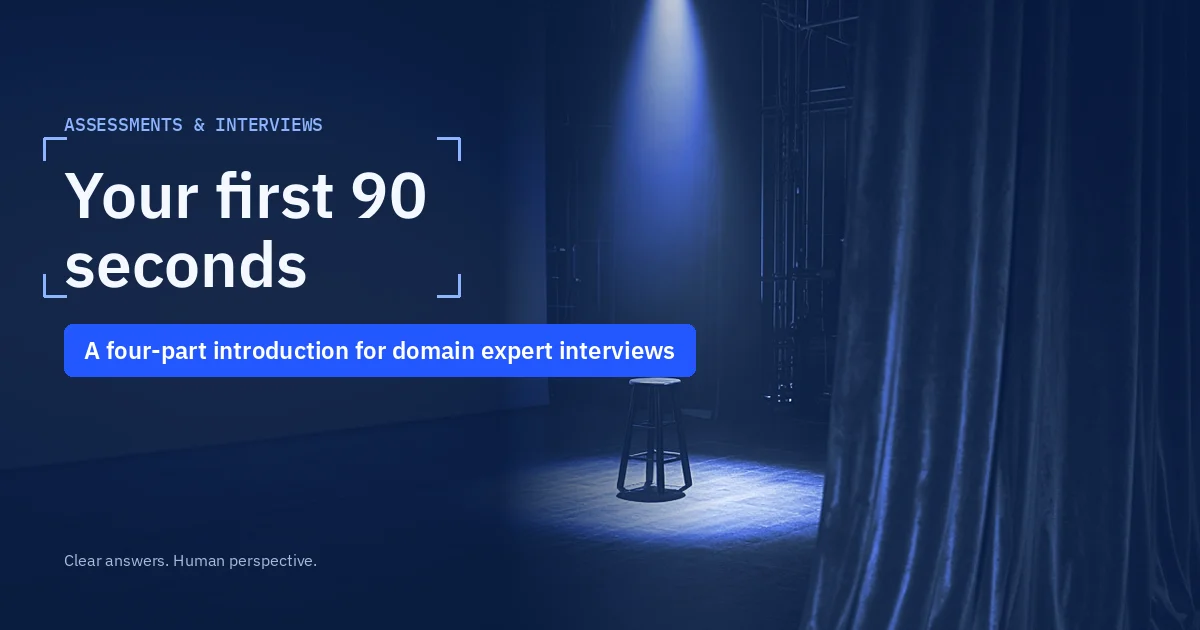
Title card for the guide on writing a domain expert interview introduction in four parts

Title card: a four-part introduction for your domain expert interview.

Why does the introduction matter so much?

Your introduction decides what the interviewer asks next. AI interviewers build follow-up questions from what you say, so a clear opening points them to your strongest work. A vague one leads to general questions that are harder to answer well. Mercor’s help page also says long silences can trigger an interruption, so a planned opening keeps your pace steady.

Write your domain expert interview introduction in four steps

Work through these steps in order, because each part leads into the next.

  1. Field: say your field, your years in it and your current or last role in one sentence, so the interviewer can place you.
  2. Proof: give one specific piece of work with a number, because follow-up questions need something concrete.
  3. Judgement: say how you check quality in your field, such as the standard, source or method you use, because evaluation work is checking.
  4. Fit: link your field to the role in one sentence, and end with a clear stop such as “That is my background.”

Write each part as one or two bullet notes, because notes keep you specific while letting you speak naturally.

You can copy this example. Change every detail to your own, and keep the four-part shape.

Example (fictional): “I am a civil engineer with eleven years in bridge design, and I now lead a team of four. Last year I reviewed 30 load calculations for a rail bridge and found two that used outdated wind data. I check designs against the national code first, and then I rerun the key numbers myself. I want to use that habit to check AI answers on structural questions. That is my background.”

Each sentence does one job, and the last line tells the interviewer you have finished. The example takes about 50 seconds to say at a calm pace.

A silver stopwatch on a desk beside one folded paper note, for timing a domain expert interview introduction

Generated illustration: four short parts, timed at under 90 seconds.

How do you rehearse it?

Rehearse it out loud at least five times, using a timer, because spoken words run longer than written ones. Record one attempt and listen for filler words, long pauses and claims you could not explain further. Cut any sentence you would struggle to defend.

Three things to leave out

Leave out these three things, because each one wastes your 90 seconds or creates risk.

  • Your life story: skip school, hobbies and early jobs unless the role asks for them.
  • Confidential detail: never name clients, patients or private projects, so you stay within any agreement you signed.
  • Claims you cannot back up: avoid “expert in everything” lines, because each claim may become a follow-up question.

Warning: do not read an AI-written script aloud. Mercor’s LLM usage policy bans using large language models to compose interview answers, so write your introduction yourself. Our guide to AI domain expert jobs shows which fields platforms look for.

Sources

These are the pages we checked for this guide (checked 18 Oct 2026).

  • Mercor talent docs: AI Interview
  • micro1 library: Your role as an expert

Write your four lines today

Write one bullet note for each of the four parts today, then say the whole introduction out loud with a timer. Our guide to AI trainer skills explains what the rest of the interview tests.

A clear opening makes every follow-up question easier, so the ten minutes you spend on these four lines carry through the whole interview.
How long should my introduction be?

About 60 to 90 seconds. That is long enough for your field, one example, your quality method and a fit line, and short enough to keep the interviewer's attention. Time yourself, because most people speak more slowly in interviews than they expect, and a 90-second plan can become two minutes.

What if the AI interrupts my introduction?

Say you were not finished and carry on from where you stopped. Mercor's help page says you can tell its interviewer you were not done when it interrupts a pause. Keep talking at a steady pace, and use a short closing line so the interviewer knows when you have finished.

Should I mention my other domains?

Only briefly, if at all. Lead with the domain the role asks for, because the interview tests that field. You can add one short line about a second field if it supports the role, such as a nurse who also works in Spanish for a bilingual health role.

Can I use the same introduction for every platform?

Mostly, yes. Keep the four-part shape and your proof example, but change the fit line for each role. Read the role description first and name the skill it stresses most, so your closing sentence answers the role you applied for and not a general one.

Tags: BeginnersInterview IntroductionInterview Preparation
Previous Post

AI trainer interview questions with practice answers

Next Post

How to rank AI responses with a rubric

Related Posts

Illustration: two hands passing a blank card across a desk, for the micro1 referral program
AI Training Platforms

micro1 referral program: how talent referrals work

by AI Trainers FAQ
0
2

How the micro1 referral program works under its official terms: who can take part, consent, when a referral counts, banned...

Read moreDetails
Title card for the AI trainer application tracker listing its five columns

AI trainer application tracker: log roles, tests and follow-ups

1
Title card for the AI trainer application checklist with five ticked checks

AI trainer application checklist: 15 checks before you apply

2
A chest camera strap beside a folded apron on a kitchen chair, for robotics data collection jobs

Robotics data collection jobs: recording everyday tasks

1
Load More
Next Post
Three pears lined up on a board for comparison, for how to rank AI responses with a rubric

How to rank AI responses with a rubric

Table of Contents

  • TL;DR
  • Why does the introduction matter so much?
  • Write your domain expert interview introduction in four steps
  • How do you rehearse it?
  • Three things to leave out
  • Sources
  • Write your four lines today
Free downloadAI Trainer Starter KitThe AI Trainer Starter Kit on laptop, phone, Excel and PDF30-day plan, eligibility log, application tracker, story bank, rating practice and pay calculator.Get the free kit

Browse topics

  • AI training platforms31
  • Assessments and interviews15
  • Applications14
  • Eligibility and requirements13
  • AI training skills12
  • Task types5
  • Domain experts5
Got a question?

Ask anonymously. No email needed. We answer and link you to the right guide.

Ask a question
?AI Trainers FAQ

AI training work is new and honestly a bit confusing. We are exploring it too, and we share what we learn here: what platforms ask for, what the tests look like, and what we wish we had known sooner.

No hype and no income promises. Partner links are always marked.

Start here

New to this?

  • AI training jobs explained
  • How to become an AI trainer
  • Your first 30 days
  • Tests and interviews
  • Spotting scams

Platforms

  • Compare platforms
  • Mercor
  • micro1
  • Outlier
  • DataAnnotation

Got a question?

Ask us anonymously

No email needed. We answer in public, so everyone learns from it.

Ask a question

Free: AI Trainer Starter Kit

  • About Us
  • Disclaimer
  • Privacy Policy
  • Terms and Conditions
  • Contact Us

© 2026 AI Trainers FAQ. Independent guides for AI trainers. Partner links are always marked.

No Result
View All Result
  • Home
  • Start Here
  • FAQ
  • Platforms
  • Applications
  • Interviews
  • Skills
  • Exclusive

© 2026 AI Trainers FAQ. Independent guides for AI trainers. Partner links are always marked.

This website uses cookies. By continuing to use this website you are giving consent to cookies being used. Visit our Privacy and Cookie Policy.