














The micro1 application process has six steps: choose a role, set up your profile, take Zara’s AI interview, check your result, verify your ID and join the talent pool.
The interview takes about 20 to 40 minutes. Certification makes you eligible for projects, but it does not promise one, because matching depends on client demand.
This guide suits you if you are a first-time domain expert with skills you can explain out loud. It is not for you if you want tasks without an interview, because every micro1 role starts with Zara.
This post contains affiliate links. We may receive compensation if you join through this link.
Checked: 16 Oct 2026. AI Trainers FAQ is independent. Platform rules change often, so check micro1’s own pages before you apply.
TL;DR
- Pick a role whose skills you can explain clearly.
- Zara’s interview takes about 20 to 40 minutes, or roughly 7 minutes per skill.
- A “Did not qualify” result lets you request detailed feedback by email.
- After certification, you verify a physical ID.
- Certification adds you to the talent pool, but it does not guarantee a project.
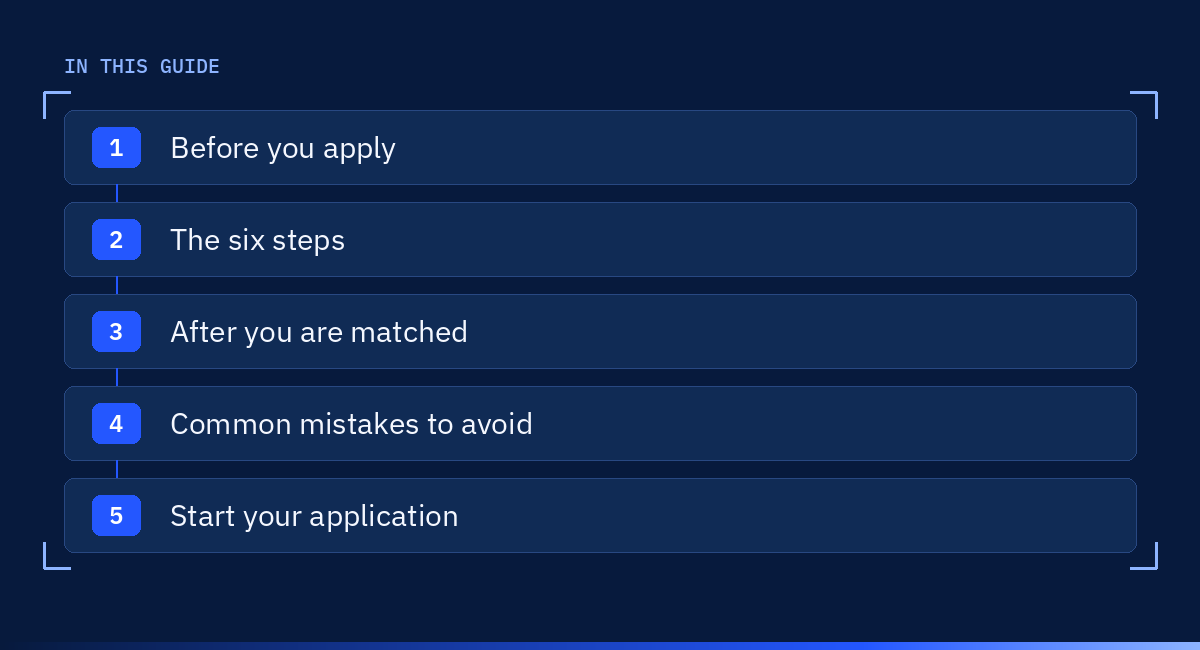
What this guide covers, section by section.
Before you apply
Read our micro1 review, then complete three checks before you apply.
- Read the role’s skill list closely, because Zara’s questions are tailored to those exact skills.
- Check the role description for location and language rules, because micro1 sets them role by role.
- Have a valid, physical government ID ready, such as a passport, driving licence or national ID.
The six steps of the micro1 application process
Work through the six steps in order.
Step 1: choose a role
You apply through micro1’s Opportunities Portal, where each role lists skill requirements based on the client’s needs. Choose a role whose skills you can explain clearly out loud.
Step 2: set up your profile
Keep your micro1 profile accurate and specific, and use our guide to the domain expert AI resume to describe your experience.
Step 3: take Zara’s interview
Zara is an AI recruiter that interviews every micro1 candidate in real time. You answer open-ended questions out loud for about 20 to 40 minutes, and the session is recorded for human recruiters. Read our guide to the micro1 Zara interview before you start.
Step 4: check your result
Your Talent Dashboard shows the status of each application. If your interview does not meet the certification criteria, the status reads “Did not qualify”, and you can click it to request detailed feedback by email.
Step 5: verify your ID
After certification, micro1 asks you to verify your ID through a third-party provider. You scan the original physical ID and take a selfie in good light. micro1 says IDs in English or Arabic are usually verified within minutes, while others can take up to 72 hours.
Step 6: join the talent pool
Once your ID is verified, you receive your certificate, join the talent pool and can receive invitations or apply to open roles. Read what to do if you are certified but have no project if none come.

Generated illustration: track each stage on your Talent Dashboard.
After you are matched
When a project selects you, you receive an email and an offer that you can accept or decline. You then sign a contract through Deel, micro1’s payroll platform, and some projects add a KarmaCheck background check. Our guide to AI trainer onboarding covers your first weeks.
Later roles can be quicker, because Zara reuses skills you certified after July 2025. A “Fast-Track” badge skips the interview, and a “Partial interview” badge tests only the missing skills.
Common mistakes to avoid
Check yourself against these four mistakes.
- Applying for skills you cannot show: Zara tests every listed skill, so choose roles that match your real experience.
- A name mismatch: the name on your ID must match the legal name in your application, or verification can be delayed.
- A poor ID photo: digital IDs and photos of an ID on another screen are not accepted, so use the original card.
- Ignoring feedback: if you did not qualify, request the feedback, because it shows exactly what to improve.
Example (fictional): A financial analyst applies to a role that lists “financial modelling” and “Excel”. He prepares one short story for each skill and says them aloud twice before the interview.
Warning: micro1 runs its interview, offers and contracts through its own portal and Deel. If anyone asks you to pay for a faster review, do not pay, because micro1’s published process has no such step.
Sources
These are the pages we checked for this guide (checked 16 Oct 2026).
- micro1 library: introduction
- micro1 library: getting certified
- micro1 library: next steps after certification
- micro1 library: talent dashboard
- micro1 library: onboarding
Start your application
Prepare one clear example for each skill in the role, and check its location rules. When you are ready, find a micro1 role that matches your skills Referral link, and start with the skill list.
If your first interview does not qualify, micro1’s feedback email tells you what to improve, so the next application starts from a clear plan.